
macOS disk cleaner
Reclaim your disk space, safely.
The menu-bar cleaner that scans for free and frees gigabytes in one click. Everything goes to the Trash, so nothing is ever truly gone.
One-time $25·Free to scan·Everything recoverable·macOS 14 Sonoma+
Developer junk
node_modules · builds
0 GB
Caches
0 GB
Large files
0 GB
Duplicates
0 GB
Snapshots
0 GB
From the menu bar
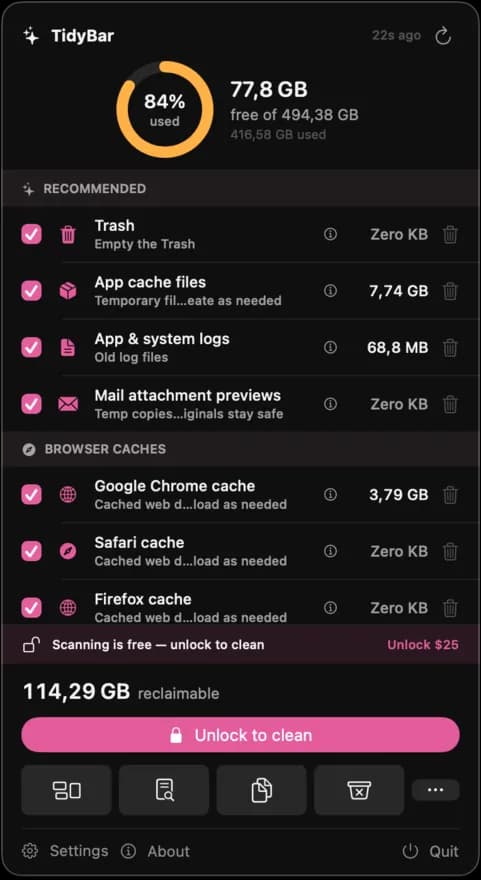
Always one click away
TidyBar lives in your menu bar. Open it, scan, and watch the reclaimable total add up - no app to launch, no clutter. Clean when you're ready.
- A live storage ring, always current
- Reclaimable space totalled as it scans
- One click to clean, straight from the bar
How it works
Free to see. Pay to clean.
Scan for free
Open TidyBar from the menu bar and scan. See exactly how many gigabytes you can reclaim, before paying a cent.
Review what's safe
Everything is grouped and explained: caches, duplicates, large files, app leftovers, build junk. You choose.
Clean in one click
Unlock cleaning with a one-time purchase. Everything goes to the Trash, so nothing is ever truly gone.
Features
Everything you need to clean up
One app for caches, big files, duplicates, app leftovers, snapshots, and developer build junk.
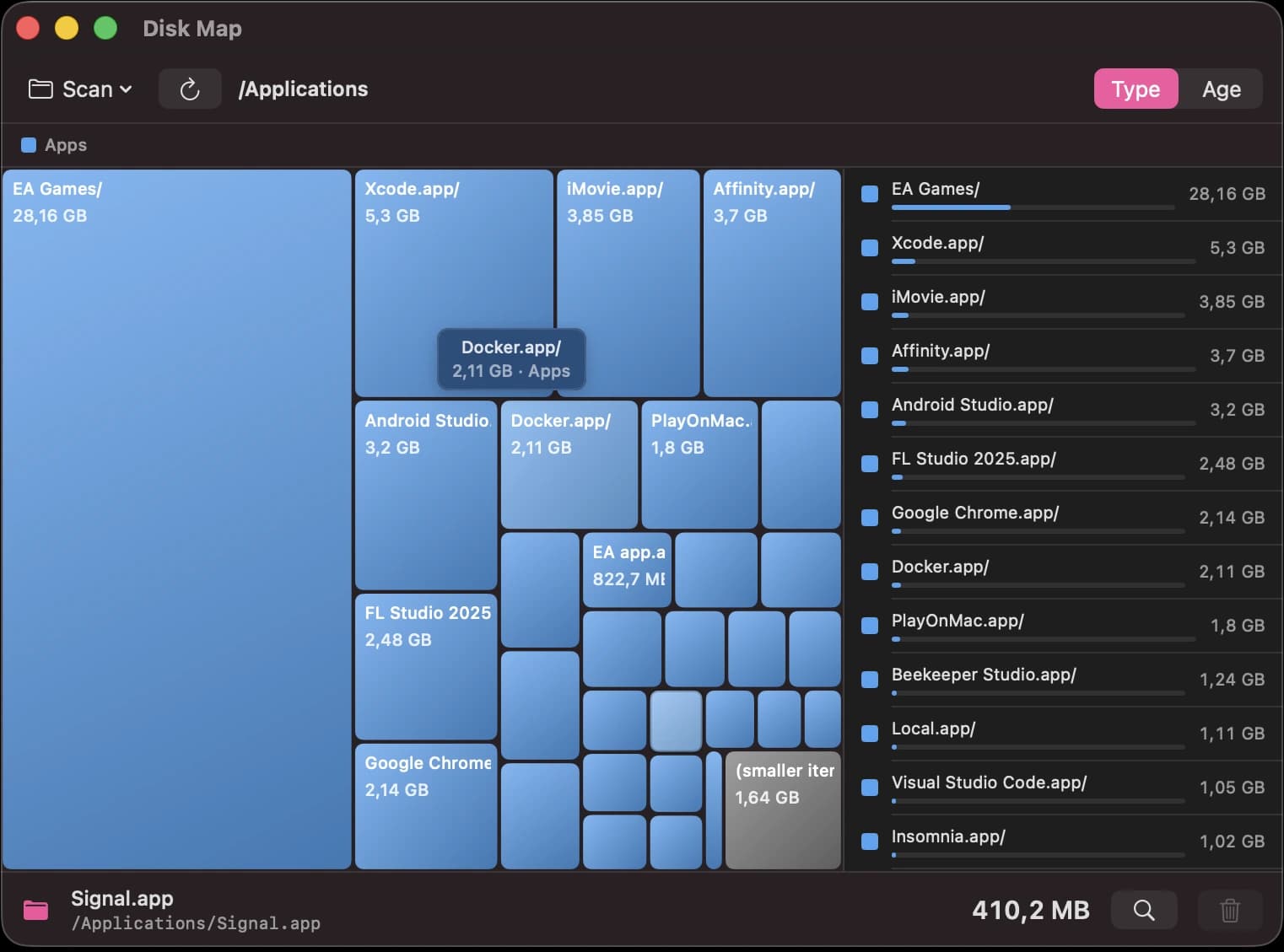
Disk Map
See where it all went
An interactive treemap of your whole disk, biggest folders first. Click to drill in. It builds in seconds.
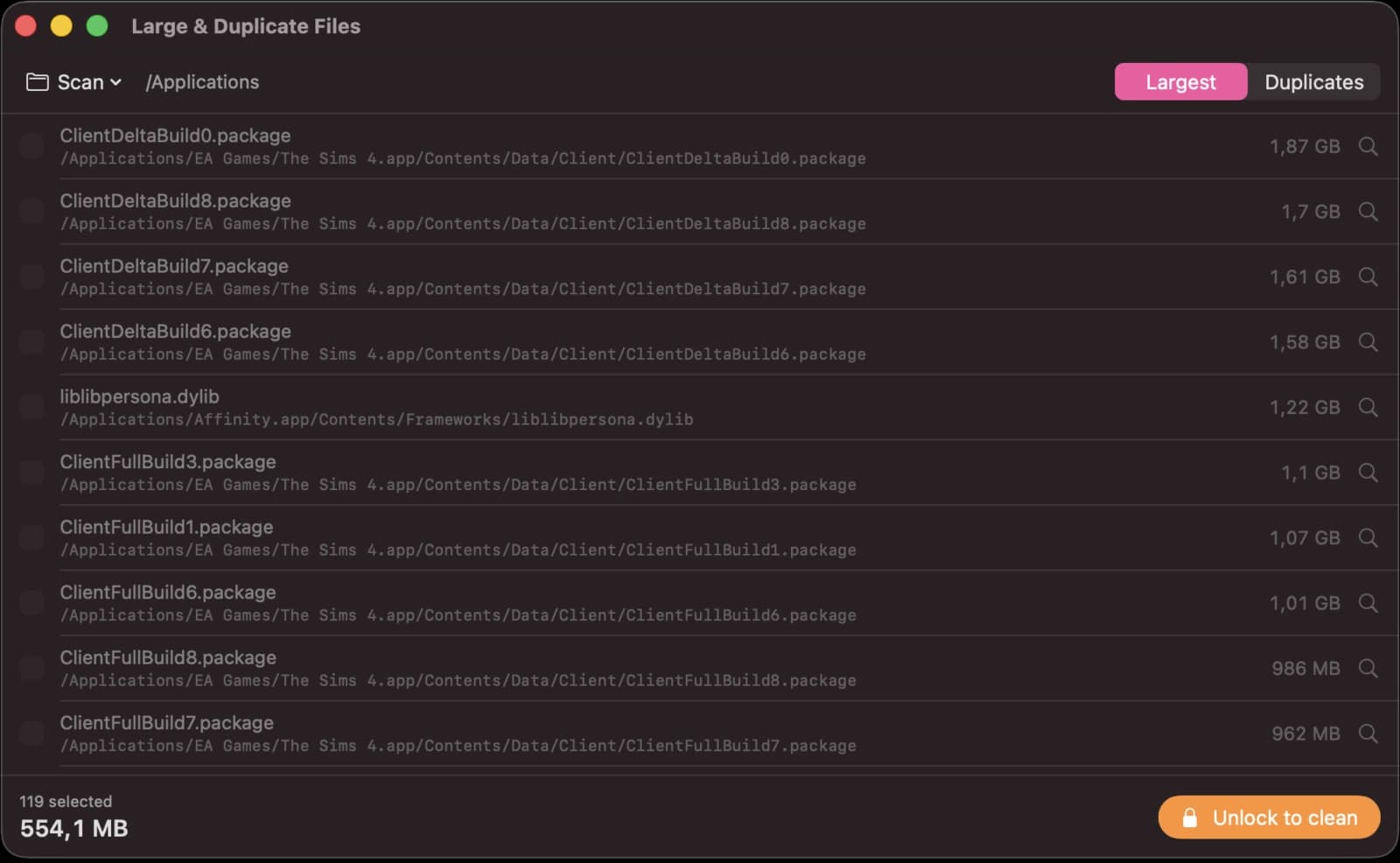
Large Files
Hunt down the giants
Every oversized file across your Mac, sorted by size with the full path in plain sight.
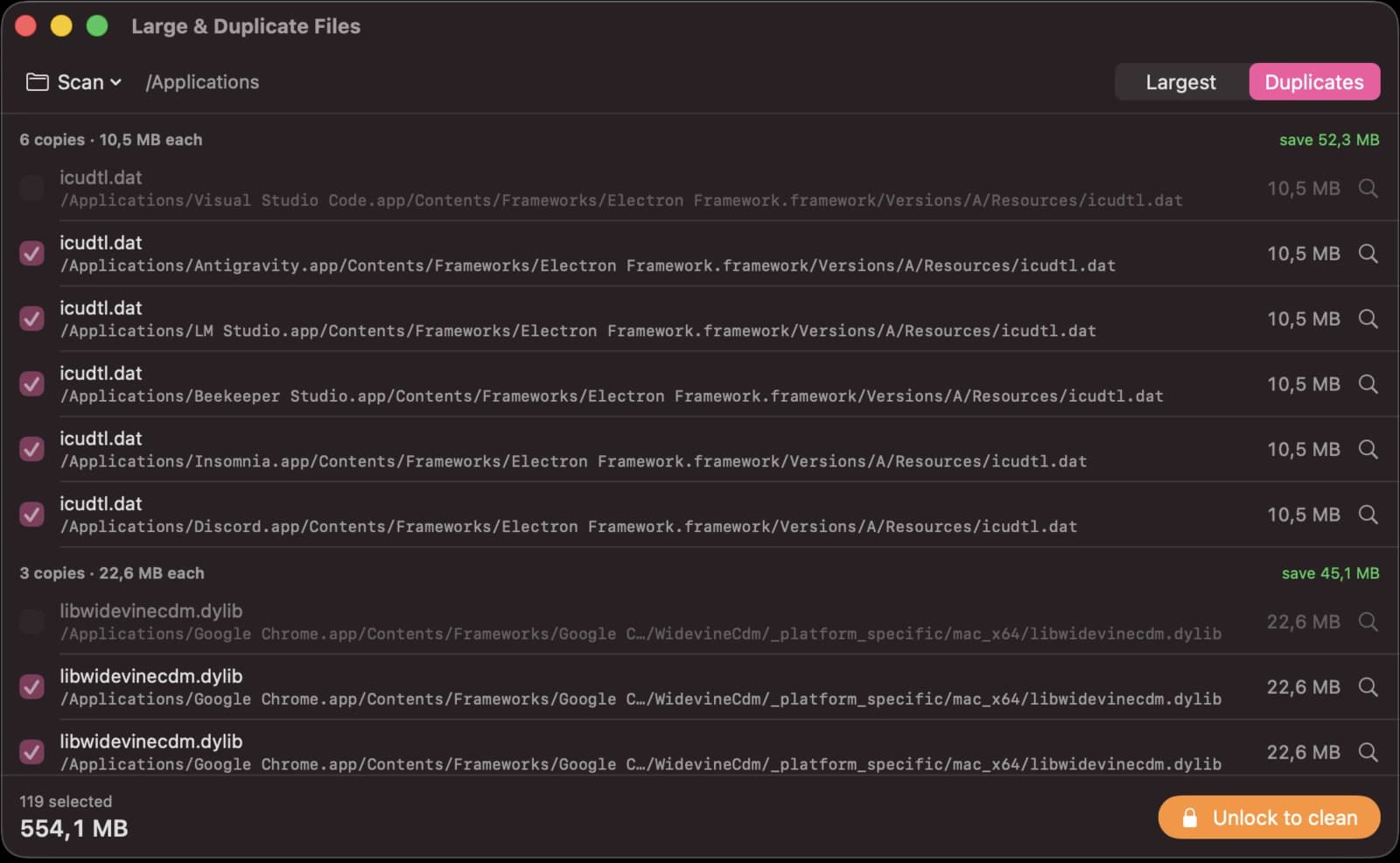
Duplicates
One copy is enough
Find identical files scattered across folders and keep just one. Reclaim the wasted space.
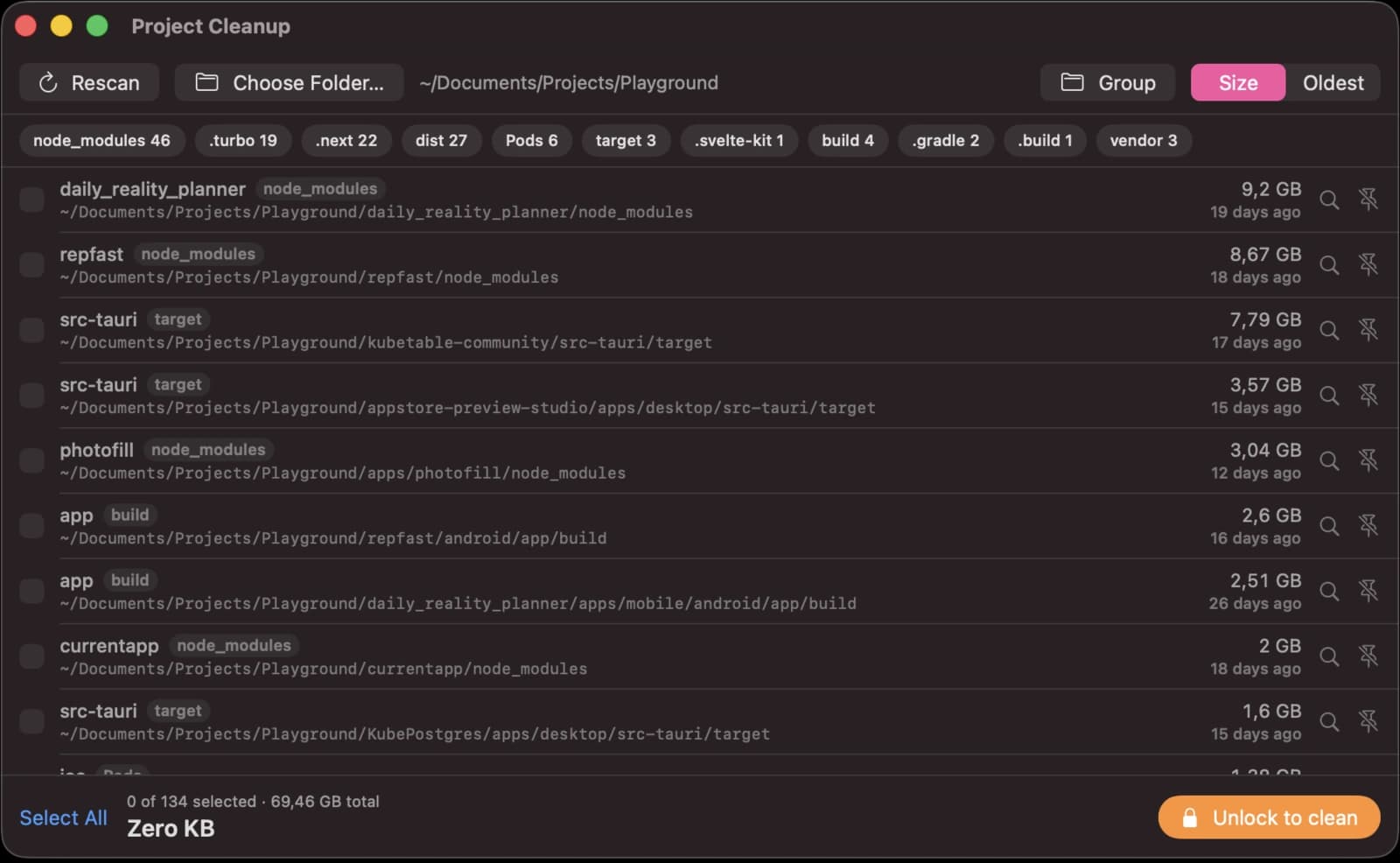
Project Cleanup
Built for developers
Reclaim gigabytes of node_modules, DerivedData, target/ and build folders you forgot about.
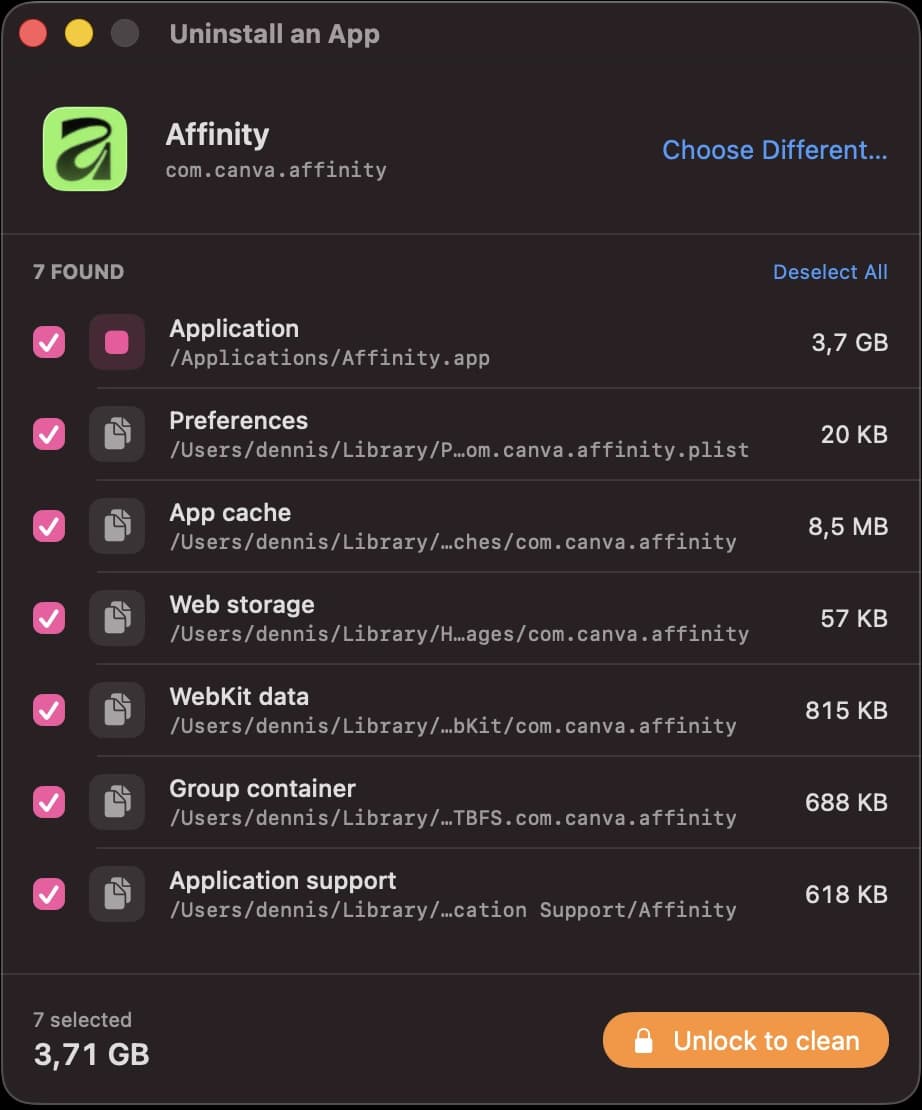
Uninstaller
Remove apps for real
Delete an app and every leftover cache, preference and support file it left behind.
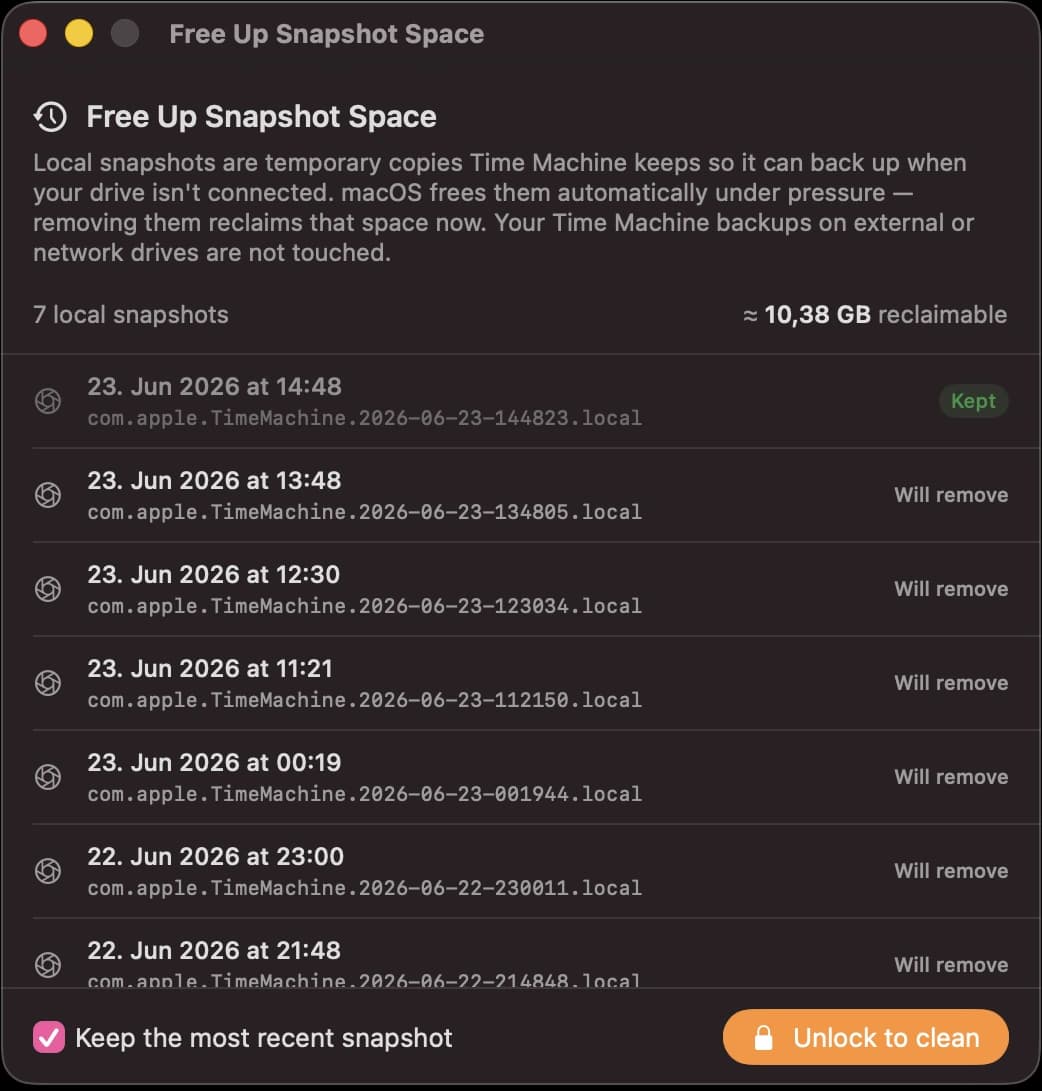
Snapshots
Hidden Time Machine copies
Local snapshots quietly eat your disk. TidyBar finds and thins them safely.
Pricing
One price. Yours for good.
$25
once · no subscription, ever
- Every cleanup feature
- Disk Map, duplicates & uninstaller
- Free to scan forever
- Free updates
- 30-day money-back guarantee
Free to download & scan. Unlock cleaning when you're ready.
FAQ
Questions
Is it safe?+
Everything TidyBar removes goes to the Trash, so you can restore anything. It never touches system-critical files and needs no Full Disk Access.
Do I need to pay to try it?+
No. Scanning is free forever, so you see how much you can reclaim before buying. You only pay, once, to unlock cleaning.
Is it really one-time?+
Yes, $25 once with free updates. No subscription. A future major version would be an optional, discounted upgrade.
Will it work on my Mac?+
TidyBar runs on macOS 14 (Sonoma) and later, on both Apple Silicon and Intel. It's a universal, notarized app.
What about developers?+
Developer mode finds node_modules, DerivedData, Rust target/, .next, virtualenvs and more across your projects, with each shown by size and age.
Compare
Switching cleaners?
See how TidyBar compares. One-time price, everything recoverable, plus a developer mode.
Get your disk space back.
Scan free to see what you can reclaim. $25 once, no subscription, everything recoverable.
Download for macOSFree to scan · macOS 14 Sonoma+